

eSIM for New Zealand 2026: Road trip across the North and South Islands
mySIM24 Redaktion · Published 9/5/2026 · Updated 9/21/2026 · 9 min read
Planning your trip? Compare current eSIM plans for New Zealand and check your device’s compatibility.
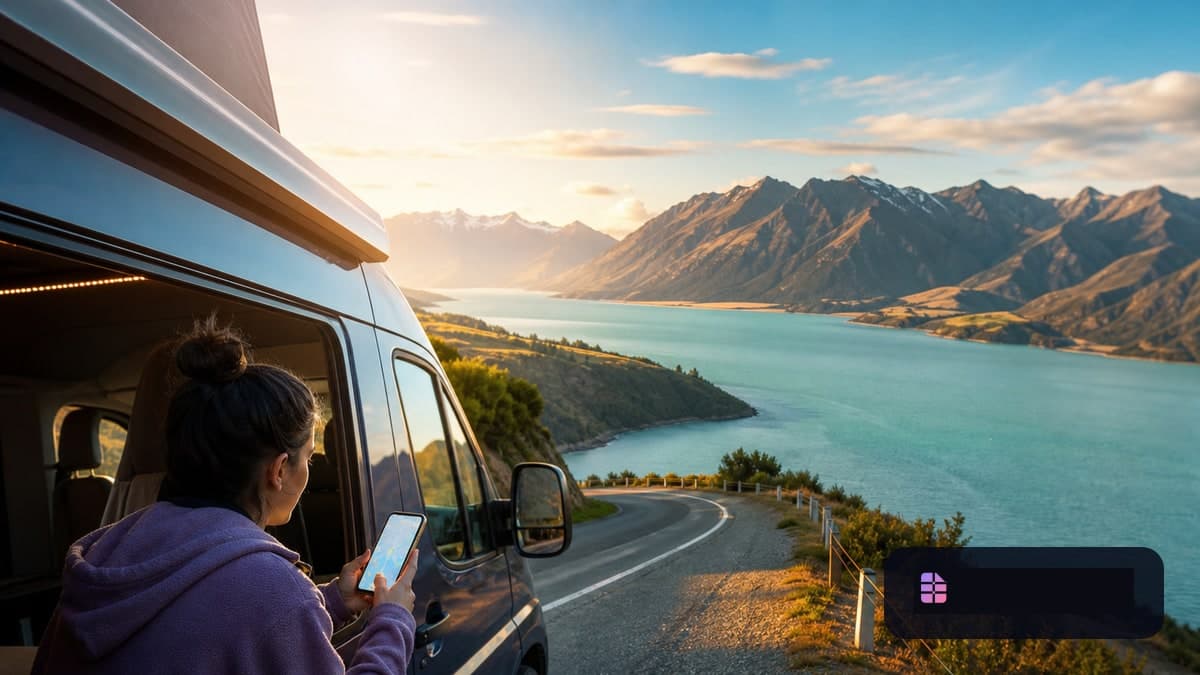
eSIM for New Zealand 2026: Road trip across the North and South Islands
New Zealand is made for a long round trip: Auckland or Wellington in the morning, then volcanic landscapes, coastal roads, campsites and, on the South Island, lakes, mountain passes or fjords. Because distances are long and many stages are remote, mobile internet is more than a convenience. It helps with navigation, accommodation, weather, ferry connections and communication on the move.
The destination is particularly relevant for German holidaymakers: Tourism New Zealand reports around 74,000 visitors from Germany for the year ending March 2026. German visitors stayed for an average of 16 days, and more than half of arrivals took place during the New Zealand summer. Anyone planning the coming peak season should therefore not leave their mobile connection until the airport.
An eSIM for New Zealand can be installed before departure and activated as your data line after landing. There is one important technical point in 2026: New Zealand's mobile networks have completely shut down 3G.
Why the 3G shutdown matters for travellers in 2026
New Zealand's three major mobile network operators decommissioned their older 3G networks one after another: 2degrees reported completion in early February 2026, One NZ on 23 March 2026, and Spark on 31 March 2026. This does not mean an eSIM is a problem for your trip. On the contrary: current eSIM-capable smartphones normally use 4G or 5G. However, an old device or a poorly supported imported model may be more noticeable abroad than before.
Before buying, check three things:
- Is your smartphone eSIM-capable and unlocked? You can find an up-to-date overview in our compatibility list for eSIM devices.
- Is the operating system up to date? Network operators may require current software for 4G calling and network configuration.
- Do you need mobile calls through your home number? A typical travel eSIM is often a data-only plan. In that case, your home line remains responsible for calls over the mobile network.
Especially important: 2degrees notes that 4G emergency calls cannot always be guaranteed for devices not bought through an authorised New Zealand retailer. This primarily affects calling functionality, not data-only use. Therefore, never rely solely on a data eSIM or on presumed coverage when hiking or driving in remote areas.
Roaming in New Zealand: German contract or travel eSIM?
New Zealand is not part of the EU or the European Economic Area. The regulated EU “Roam like at home” rule therefore does not apply automatically there. Some German mobile plans include voluntary travel packages for New Zealand; others charge very different rates outside Europe. Before flying, check your provider's country price list and any data package already included.
A travel eSIM cleanly separates data usage from your German primary number:
- The travel eSIM handles mobile data in New Zealand.
- The home SIM or home eSIM can remain active for calls and important SMS messages.
- Data roaming should be disabled for the home line so it does not use data abroad unnoticed.
This is useful, for example, if you expect a TAN SMS or login code on your German phone number. Our guide on travel eSIMs and TAN SMS abroad explains which Dual SIM settings make sense.
A local physical SIM can still be worthwhile if you specifically need a New Zealand phone number, local calling or a solution for a very long stay. For a classic holiday involving navigation, messaging, bookings and online research, a data eSIM is usually the simpler preparation.
Coverage on the North and South Islands: maps help, not guarantees
Mobile service is generally most likely in cities and densely populated regions. These include Auckland, Wellington, Christchurch, Queenstown and Rotorua, for example. But New Zealand is a road-trip country—and that is precisely where expectations need to change: on mountain roads, in national parks, in the backcountry, at remote beaches and on the water, coverage can be patchy or absent altogether.
New Zealand Police specifically advises visitors not to rely on mobile coverage: it may be good in urban areas, but is not reliable in the backcountry and marine areas. The Department of Conservation likewise recommends downloading and testing maps offline before outings.
For choosing your plan, this means:
- Check which local network your specific eSIM plan uses. Not every travel eSIM plan works with every New Zealand network.
- Look at the official coverage map of the network partner before booking. Maps provide guidance, but do not guarantee coverage in every valley, campervan or building.
- Do not plan around “5G everywhere”. For a road trip, a reliable 4G connection on normal routes matters more than a 5G icon in individual places.
- Download important information while on Wi-Fi: offline maps, accommodation details, rental-car documents, booking numbers and screenshots of meeting points.
This applies to both main islands. The North Island combines cities, geothermal areas and coasts. On many itineraries, the South Island takes you more quickly into sparsely populated, mountainous or weather-sensitive regions. An eSIM is a useful tool there—but not a replacement for preparation.
How much data do you need for a New Zealand road trip?
The right amount depends less on the country than on how you use your phone. On an average, longer New Zealand trip, consider not only the number of days but also your offline plan.
| Travel profile | Typical use | Suitable plan direction |
|---|---|---|
| Light use | Messaging, emails, addresses, offline maps | Small data plan if downloads are completed beforehand |
| Standard road trip | Navigation, restaurant and accommodation searches, daily bookings, occasional photo uploads | Medium data plan with sufficient validity for the entire route |
| Data-intensive | Videos, social media, cloud backups, laptop hotspot, frequent uploads | Larger plan; check hotspot rules and possible fair-use limits in advance |
Navigation uses considerably less data while travelling if map regions have been downloaded beforehand. Automatic photo backups, video calls, Reels, streaming and a laptop connected by hotspot, on the other hand, consume a lot of data. Find our detailed decision guide in How many GB do I need when travelling?.
Also, do not book based on data volume alone; consider the validity period. A very long trip can often be planned more flexibly if the plan can be extended or another data package can easily be added when needed.
Set up your travel eSIM correctly before departure
The best time for installation is at home or on hotel Wi-Fi before your trip—not in the arrivals hall after a long-haul flight.
- Buy the eSIM and save the installation instructions. Keep the QR code, activation code or provider link offline as well, for example as a screenshot in a protected folder.
- Install the profile over Wi-Fi. Individual menu items differ between iPhone and Android. Our guide to installing an eSIM shows the usual steps.
- Name your lines clearly. For example, label them “Germany” and “New Zealand”. This prevents confusion when selecting the data line.
- Select the New Zealand eSIM as the mobile data line. Disable data switching to your home line if your smartphone offers automatic switching.
- Enable data roaming only when specifically required. Some travel eSIMs need data roaming enabled on the travel eSIM in order to register on the partner network. Enable it only if your plan or installation instructions require it—never as a blanket setting on the German home line.
- Check the activation date. Depending on the product, validity starts on installation, the first network connection or manual activation. Rely exclusively on the terms of the plan you choose.
Keep your German line active for SMS and calls only if you genuinely need it. Note that even where incoming SMS is often possible, potential costs and functions always depend on your German contract.
An offline plan and road safety are part of the trip
An eSIM makes travel easier, but it is not emergency equipment. Before hikes, in remote camping areas or on long mountain-pass roads, offline maps, sufficient battery and a power bank are essential. For demanding backcountry trips, the Department of Conservation also recommends suitable navigation and emergency equipment and telling a trusted person your route.
While driving, set your route, music and accommodation before setting off. New Zealand's transport authorities and police restrict mobile-phone use while driving; emergency calls are among the exceptions. A phone mount with prepared voice guidance is safer than looking for the next viewpoint while on the road.
New Zealand eSIM quick FAQ
Does an eSIM work on the North and South Islands?
Yes, provided your plan covers New Zealand and your device is compatible. The actual connection, however, depends on the local network, your location, terrain and weather. Coverage is not guaranteed in remote regions.
Do I absolutely need 5G?
No. For navigation, messaging, bookings and travel information, 4G is generally more important than searching for 5G. What matters is the network partner, device support and realistic expectations for rural stages.
Can I make calls with a data eSIM?
Communication via apps such as WhatsApp, FaceTime Audio or other internet calling services works with a data connection. Traditional mobile calls and SMS, however, are not included with many travel eSIMs. Read the service description for the specific plan.
Is an eSIM enough for hiking?
No. It is useful, but not a replacement for offline maps, checking the weather, battery reserve and appropriate emergency communication on remote outings.
Mini checklist before you leave
- Check eSIM compatibility, SIM lock and software version
- Compare New Zealand plans, validity, network partners and hotspot rules
- Block data roaming on the home line
- Save offline maps and important travel documents
- Store the QR code or installation details offline
- Do not rely on network coverage for outdoor trips
Entry note, current as of 5 September 2026: Germany is on New Zealand's visa-waiver list. However, most German air travellers still need an NZeTA in advance. An eSIM plan does not replace entry permission; check requirements and processing times again directly with Immigration New Zealand shortly before travelling.
Sources and update status
The following official sources were checked for this article on 5 September 2026. Time-sensitive information—particularly on the 3G shutdown and entry requirements—may change.
- Tourism New Zealand, Germany market overview, July 2026 snapshot: https://www.tourismnewzealand.com/about-us/markets-overview/
- 2degrees, 3G shutdown, February 2026 status: https://www.2degrees.nz/help/mobile-help/troubleshooting/things-to-know-about-our-3g-shutdown
- One NZ, 2G and 3G shutdown on 23 March 2026: https://one.nz/3g-shutdown/
- Spark, 3G shutdown on 31 March 2026: https://www.spark.co.nz/shop/mobile/network.html
- New Zealand Police, visitor safety advice: https://www.police.govt.nz/advice/personal-community/keeping-safe/visitors-safety-guide
- New Zealand Department of Conservation, offline maps and outdoor preparation: https://www.doc.govt.nz/parks-and-recreation/know-before-you-go/maps/
- European Commission, roaming rules in the EU and EEA: https://digital-strategy.ec.europa.eu/de/faqs/roaming-questions-answers
- Immigration New Zealand, visa-waiver countries: https://www.immigration.govt.nz/visit/what-you-need-to-visit-new-zealand/visa-waiver-countries-and-territories/