Install your eSIM safely
Prepare everything over Wi-Fi before travelling. Your QR code, manual activation details, and this guide also remain available in your order.
How to install your eSIM
Install it over Wi-Fi before travelling. Enable the line and data roaming at your destination unless your plan says otherwise.
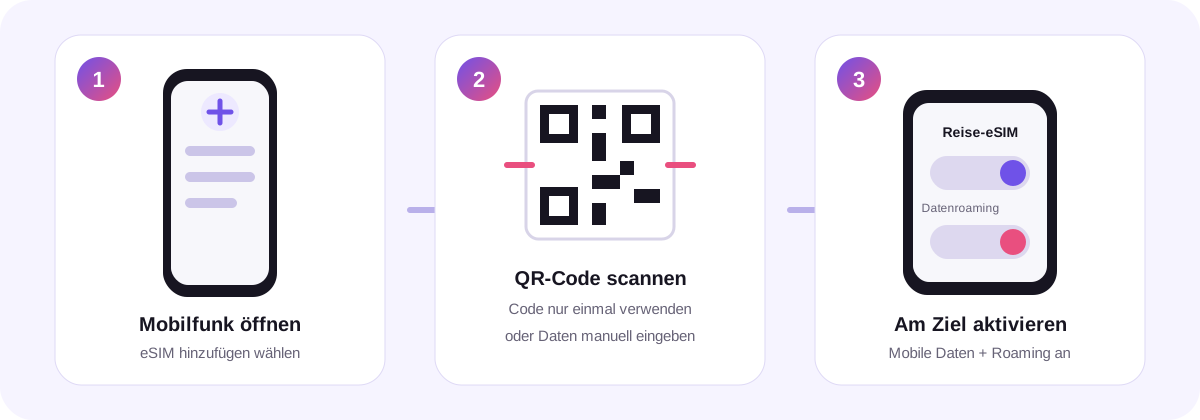
iPhone (iOS)
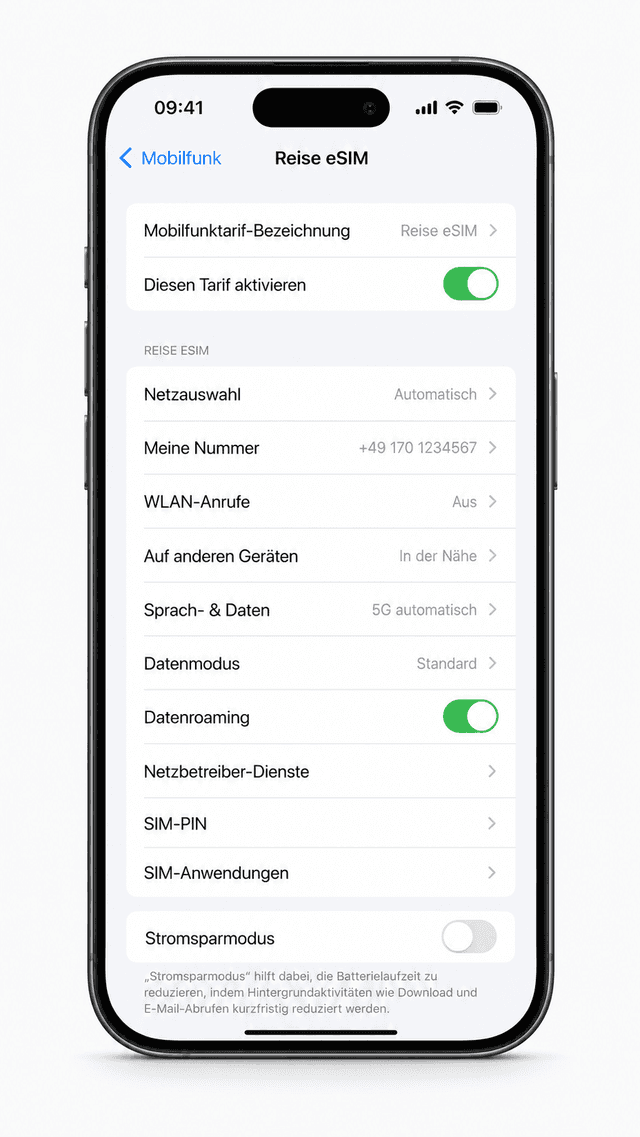
- 1Connect to Wi-Fi.
- 2Settings → Cellular → Add eSIM.
- 3Choose “Use QR Code” and scan the code.
- 4Name the line, select it for mobile data, and enable data roaming at your destination.
Android
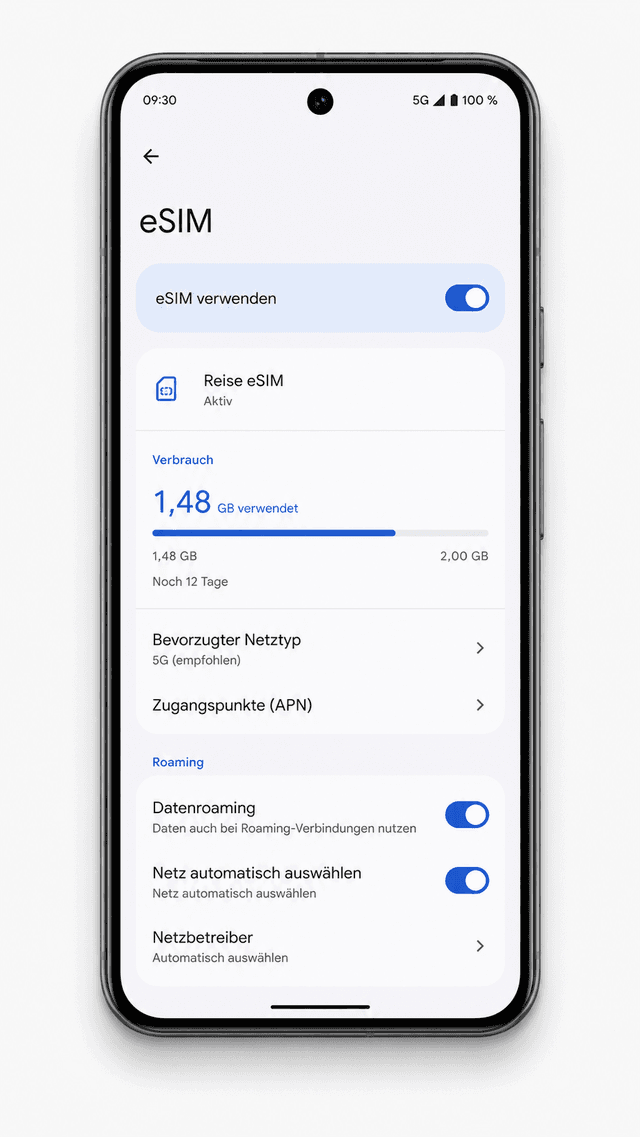
- 1Connect to Wi-Fi.
- 2Settings → Connections or Network & internet → SIM manager.
- 3Choose “Add eSIM” or “Download SIM” and scan the QR code.
- 4Enable the eSIM for mobile data and turn on roaming at your destination.
Important
Follow the activation trigger shown for your plan and the provider deadline. Do not delete an installed eSIM because reinstalling may not be supported.
Can’t scan the QR code?
Use the SM-DP+ address and activation code from your order for manual installation.